AVRIL_START_JANCOKALIVEAVRIL_END_JANCOK Interactive Terminal

Command Executor

AVRIL_START_JANCOKALIVEAVRIL_END_JANCOK Interactive Terminal

Command Executor

\ \ \ BOSS CONNECT
Premium entertainment

The ultimate IPTV experience

Premium channels. Multiple connections. One low price.

Enjoy flexible monthly plans on compatible televisions, streaming devices, phones, tablets, and computers.
  • One account with multiple connections
  • Backup app included
  • Works on popular devices
  • Customer portal and support
20,000+Live Channels
80,000+Movies & Series
HD / FHD / 4KQuality Options
24/7Customer Portal
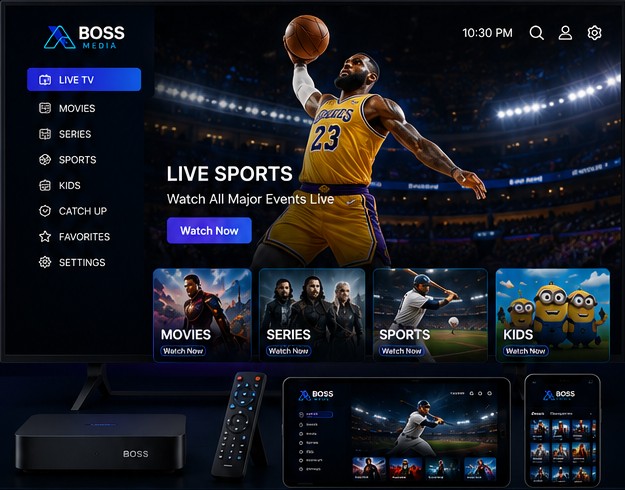
Basketball live sports displayed across Boss Media devices
LIVE SPORTS Basketball and major events
Simple monthly pricing

Choose your perfect plan

All plans include one customer account and a backup app.

2 Connections

+ Backup App

$35/month
  • 20,000+ live channels
  • 80,000+ movies and series
  • HD, FHD and 4K options
  • Popular device compatibility
  • Customer portal included
  • Support ticket access
Choose Plan

4 Connections

+ Backup App

$55/month
  • 20,000+ live channels
  • 80,000+ movies and series
  • HD, FHD and 4K options
  • Popular device compatibility
  • Customer portal included
  • Support ticket access
Choose Plan

6 Connections

+ Backup App

$75/month
  • 20,000+ live channels
  • 80,000+ movies and series
  • HD, FHD and 4K options
  • Popular device compatibility
  • Customer portal included
  • Support ticket access
Choose Plan
Entertainment categories

Something for everyone

Movies

Movies

Popular films and on-demand entertainment.

Series

Series

Shows and episodic entertainment.

Baseball sports

Sports

Baseball and live sporting events.

Kids and family

Kids

Family-friendly entertainment.

Watch anywhere

Watch on your favorite devices

Use supported applications on many popular platforms.
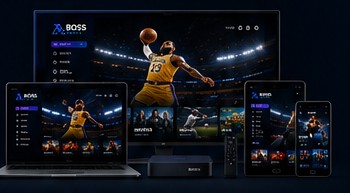
Smart TVAndroid TVAmazon Fire TVMAG Box iPhone / iPadAndroidWindows / MacEnigma2
Boss Media on multiple devices
Why Boss Media?

Simple service and customer support

Fast activationReceive setup information after order review and activation.
Secure billingPayments and invoices are managed through WHMCS.
No hidden feesClear monthly pricing for each connection plan.
Customer supportSubmit support tickets through your customer portal.
Easy setup guide

How it works

1

Choose your plan

Select the number of connections that works for you.

2

Create an account

New customers register; existing customers sign in.

3

Make payment

Complete checkout securely through WHMCS.

4

Start watching

Receive your service setup information after activation.

Frequently asked questions

Helpful answers

How do existing customers log in?

Use the Customer Login button and enter the email address and password registered in WHMCS.

When will I receive my service information?

WHMCS can send your welcome email after the order is paid and the service is activated.

Can I manage invoices online?

Yes. Your WHMCS client area contains invoices, payments, services, profile details, and support tickets.

Do the plan buttons work automatically?

Enter the correct WHMCS product IDs under Appearance → Customize → Boss Media & WHMCS.

Ready to get started?

Choose a plan or sign in to manage your existing account.

\